Bill in seconds. Track every item. Know who owes you.
Hisaab is billing, stock, accounts and GST software for Indian shops, traders, service businesses, contractors and manufacturers — set up for your kind of business in a minute. Invoices that reach customers by themselves, payment links, stock, bank and cheques, and the GST and tax files your accountant needs — on your phone and your computer, without the complexity.
No card needed · Set up in about a minute · Works on phone and computer
- 14 daysfree trial, no card needed
- 31 business typesin 22 natures of business — or answer six questions
- Automaticinvoices, reminders and “payment received” messages
- GSTR-1 every monthprepared on the 1st, checked, sent to your CA
Everything important for running your business, without the complexity
Start with billing. Add stock, purchases, accounts and tax when you need them — it all works together, and the Home screen tells you what needs you today.
Sales & quotations
GST invoices, quotations, proforma invoices, sales orders, delivery challans, counter billing and credit notes.
Purchases
Purchase requests, orders, goods received and supplier bills, with returns and blocked-credit bills.
Stock & warehouses
Live stock in every warehouse, low-stock alerts, batches, serial numbers, expiry, labels and production.
Customers & suppliers
Who owes you and whom you owe, reminders by themselves, and a link for customers to send their own details.
Accounts & money
Receipts, payments, set-off, bank statements (Excel, CSV, PDF, OFX, QIF), financial statements, export to Tally.
Cheques, loans & assets
A cheque register with post-dated cheques, loans with the full EMI schedule, and fixed assets with depreciation.
GST & compliance
GSTR-1 (Excel and portal file), GSTR-3B, GSTR-2B match, GSTR-9 sheet, e-invoice and e-way bill files, TDS and MSME.
Income-tax estimate
Tax for the year from your books, depreciation as the Act allows, and the four advance-tax instalments.
Get paid faster
Invoices and reminders sent by themselves, a pay-online link, and “payment received” messages.
Online catalog
Share a link; customers choose items and send an order that becomes your Sales Order in one click.
Work orders & projects
Customer work orders, monthly running bills, site costs and project-wise profit.
Safe by design
Checked daily backups, an online copy, automatic recovery, a security PIN, roles and a full audit log.
Invoices that chase the money for you
Make the bill once. Hisaab sends it, reminds the customer, takes the payment and tells them thank you.
- 1
Invoice goes out
Every new invoice reaches the customer by WhatsApp or e-mail, whichever you have for them.
- 2
Reminders follow
Before the due date, on it, and after — until it is paid. A part-paid bill shows the balance.
- 3
Customer pays online
Every message carries a pay link (UPI, card, net banking) to your own Razorpay account. The invoice settles by itself.
- 4
“Payment received”
The customer is thanked automatically, and a cheque that clears is posted in one click.
E-mail goes out by itself with nothing to set up. WhatsApp is one tap by default, and fully automatic once a WhatsApp Business provider is connected (the customer must have agreed to receive messages). Online payment needs your own Razorpay account, set up once in Settings.
The files your accountant asks for, ready when they ask
Hisaab prepares and checks. You or your CA upload to the government portals.
Hisaab does not file returns, and does not yet handle cess or TDS on salary. Tax rules change: every rule shows its source and how well it was verified, and your CA should confirm the rates. What Hisaab does not do
See Hisaab in two minutes
A real invoice, made from start to finish, explained in Hindi. Captions are on screen too, so it also works on silent.
Learn it in about a minute each
Sign-up to your first quotation, work order and purchase — short Hindi videos, made from the real app.
From the first chai to the last bill
The same simple app, all day, wherever you are.
- 1
Morning: check the shop
Open the dashboard. See what to collect, what to pay, and which items are running low.
- 2
Midday: bill on the spot
Make a GST invoice at the counter, or a quick quotation at the customer’s site, from your phone.
- 3
Afternoon: goods and staff
Receive stock against a purchase order. Give staff their own login with limited access.
- 4
Evening: get paid
Send payment reminders on WhatsApp, record receipts, and see today’s sales.
This is Hisaab — not a mock-up
Screens from the actual app, with sample demo data.
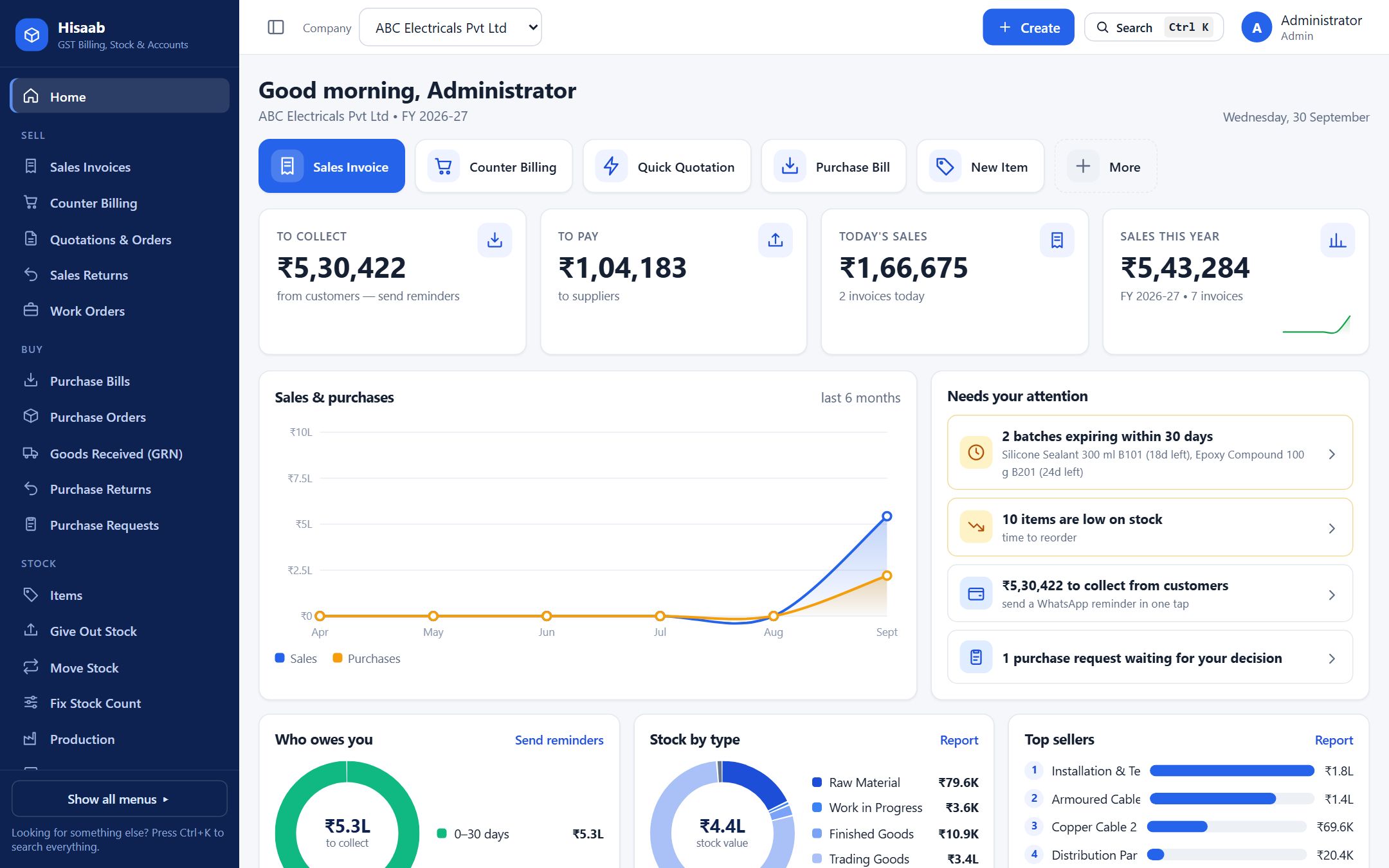
Your business at a glance
Open the app and know where you stand.
- Money to collect and money to pay
- Today’s and this year’s sales
- Low stock and pending items that need you
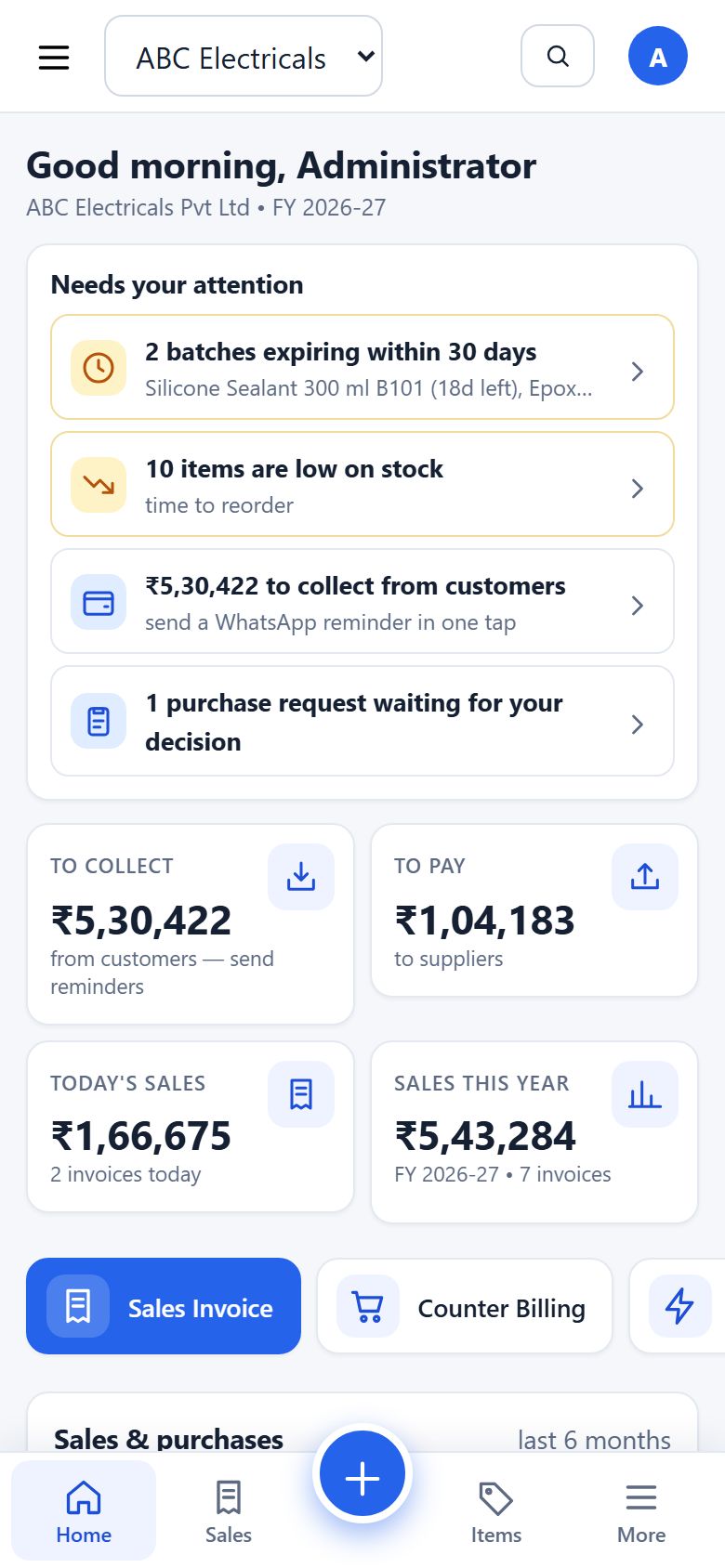
A clear GST invoice
Every bill shows the tax split, what was received and what is still due.
- Print, PDF, WhatsApp or email in one tap
- IGST or CGST + SGST chosen for you
- Record receipts and see the balance
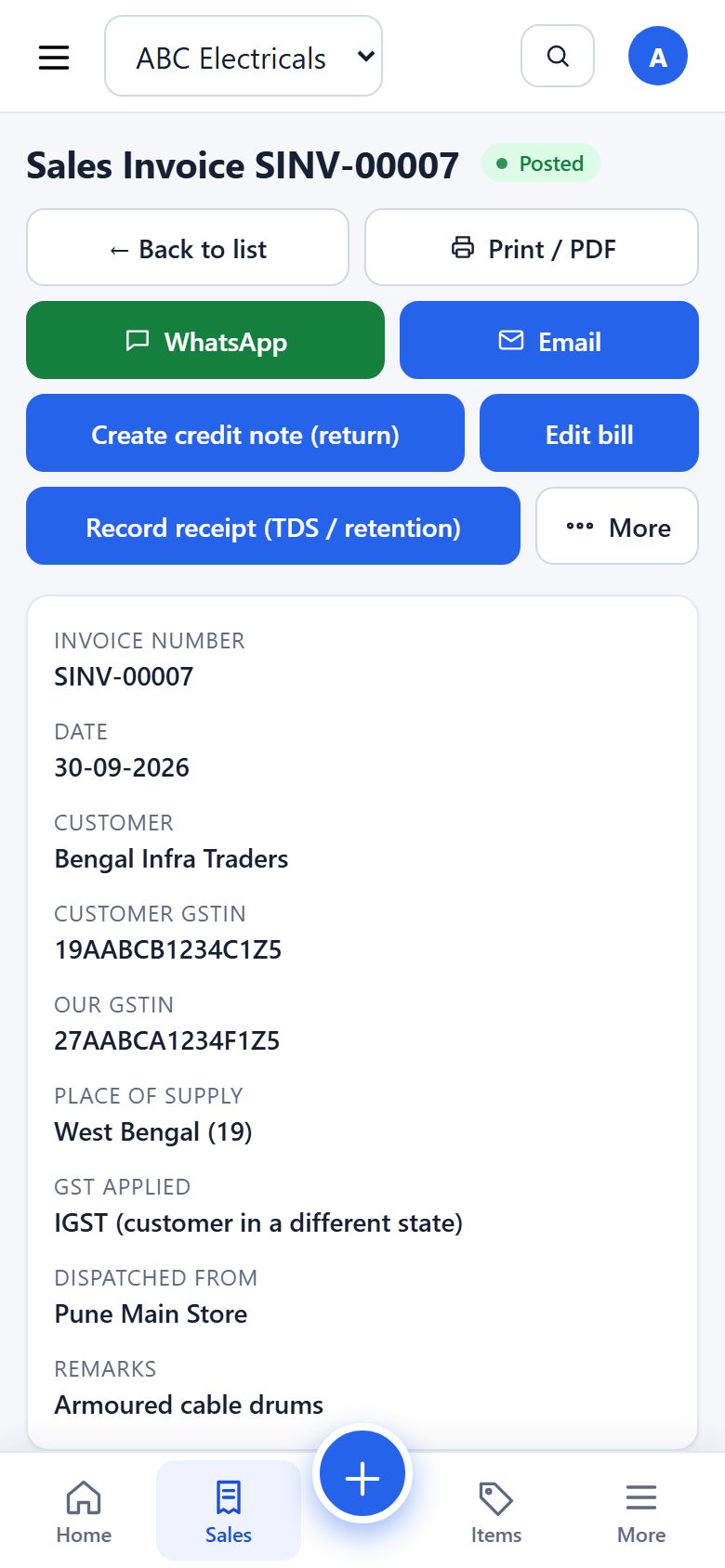
Stock you can trust
Every sale and purchase updates stock automatically.
- Current stock in every warehouse
- Low-stock alerts before you run out
- Batch, serial and expiry tracking
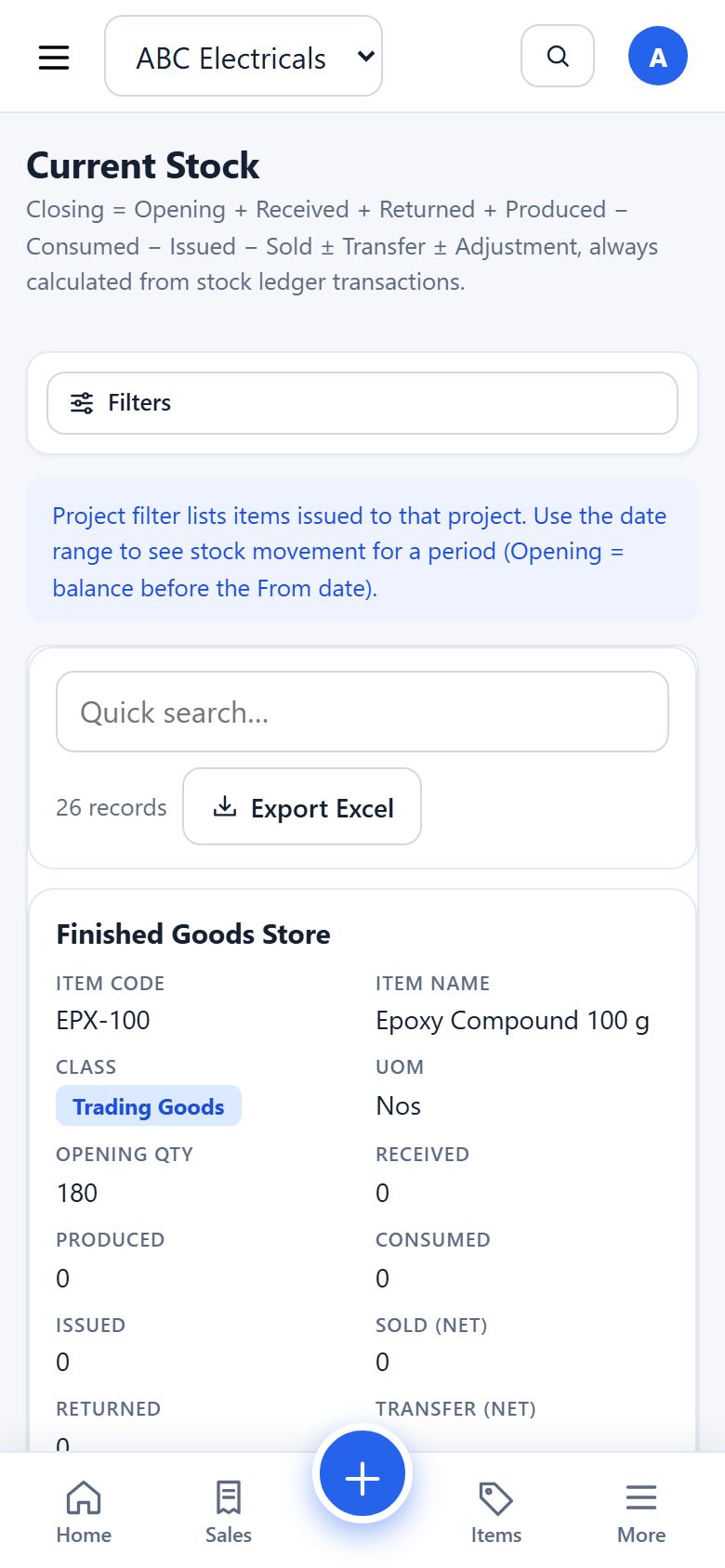
Buying, from request to bill
Follow the goods from the purchase order to the supplier’s bill.
- Purchase orders and goods received (GRN)
- Supplier bills with GST
- Stock goes up when goods arrive

Don’t just record. Understand.
Reports for sales, purchases, stock, dues and GST in one place.
- Sales and purchase registers
- Stock ledger, batches and expiry
- Export to Excel for your accountant

Ready for your CA
See what is due and prepare the files your accountant needs.
- GSTR-1 report in your own Excel format
- E-invoice and e-way bill data prepared for upload
- TDS and MSME payment tracking

Make a GST invoice in seconds — even at the customer’s site
Pick the customer, add the items, and Hisaab does the tax. Send it on WhatsApp before you leave.
- Invoices, quotations, counter billing and Quick Quotation for urgent site prices
- Turn a quotation into an invoice with one click
- Read a customer’s PO or work order from a PDF, Excel sheet or photo
- See who has paid and who has not

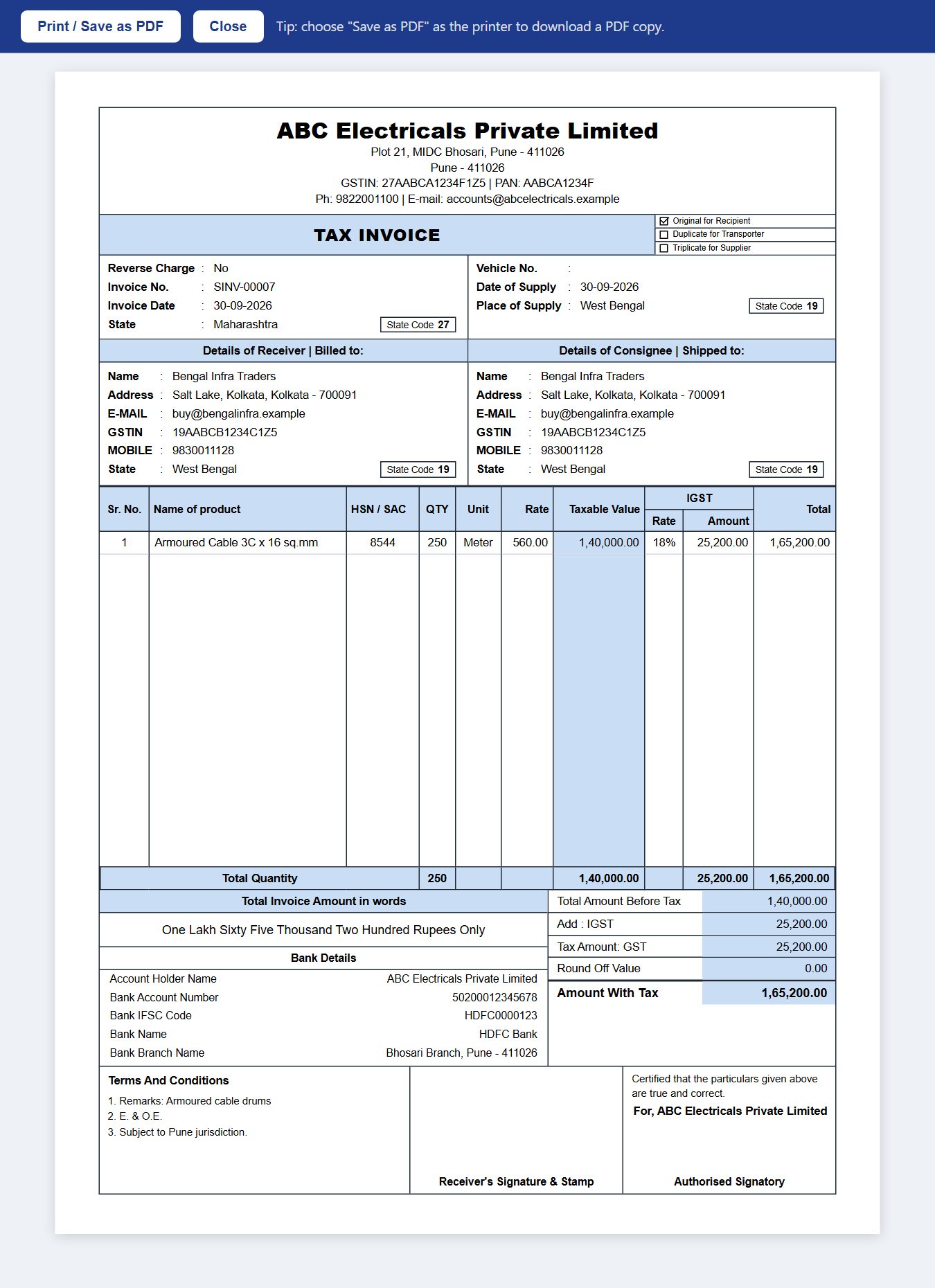
An invoice you are proud to hand over
Every bill prints in a clear, classic GST tax-invoice layout, with the details your customer and your CA look for.
- Your logo, stamp and signature, bank details and amount in words
- Receiver and consignee details, GSTIN, HSN and the tax split
- A4, A5, or receipt-printer (80 mm and 58 mm) sizes
- Save as PDF, or send on WhatsApp or email
Know what is on the shelf — and what is about to expire
Stock updates itself with every sale, purchase and transfer, so the number you see is the number you have.
- Several warehouses, with stock moves between them
- Batch, serial and expiry tracking, with a 30-day expiry notice
- Selling more than you have is stopped, not silently allowed
- Low-stock list ready to reorder

GST that your accountant will like
Invoices carry the right tax, HSN and GSTIN details, and the reports are ready when your CA asks.
- Place of supply from the GSTIN state, automatically
- GSTR-1 prepared on the 1st of every month and checked - sent to your CA in one tap
- HSN / SAC on every line; a wrong code never stops a bill and is fixed in one tap
- Prepares e-invoice and e-way bill data to upload, and records what the portal returns
Hisaab prepares the reports and files. You or your CA upload them to the GST portal — it does not file returns for you.
Made for the way Indian businesses work
Not in the list? Choose Other at sign-up: answer six quick questions, type what you sell, and Hisaab suggests your starter items with HSN / SAC (your CA confirms the codes and rates). How it works
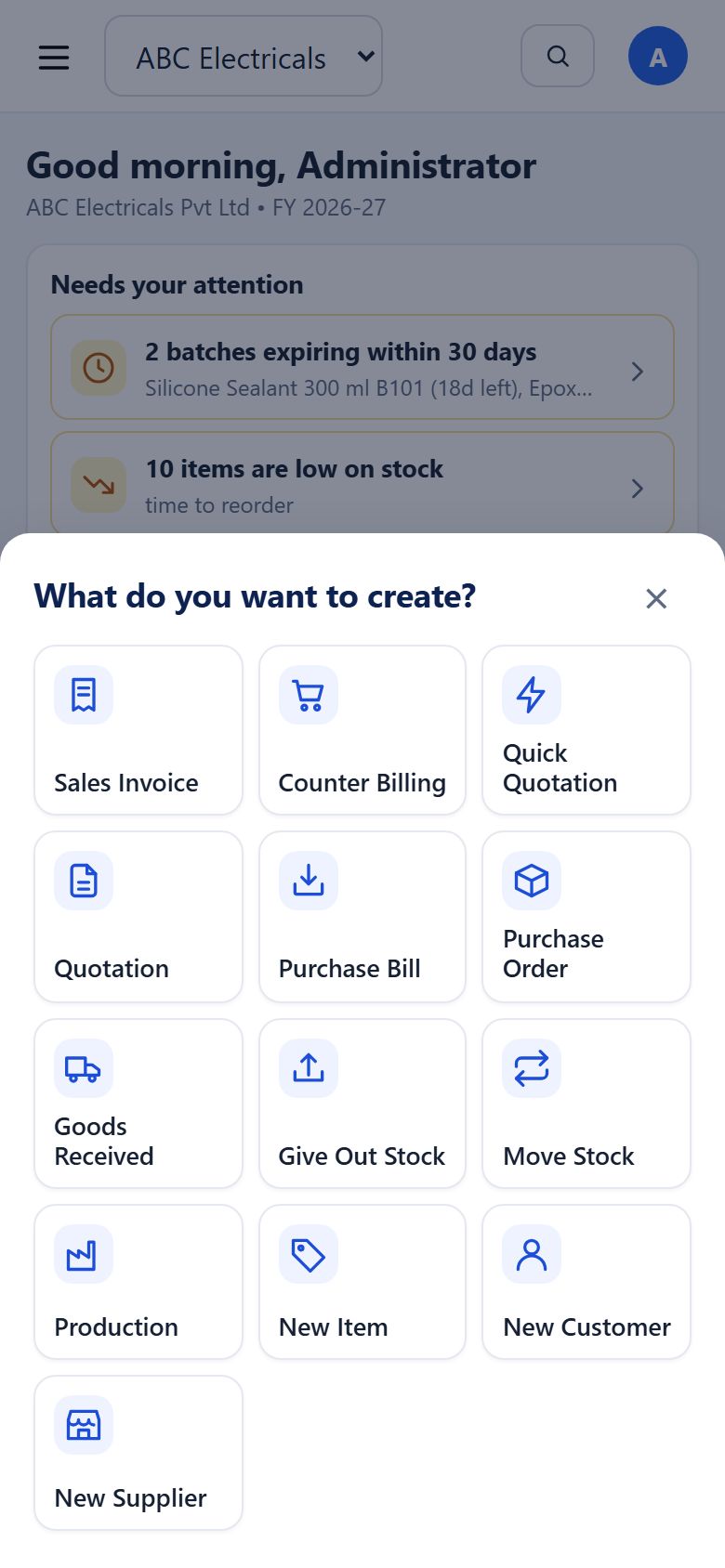
Designed for the phone in your pocket
Not a shrunken computer screen. Big buttons, one-hand navigation, and a “+” that starts any bill in a tap. Add it to your home screen and it opens like an app.
Start billing in four steps
You do not need an accountant or a training course.
- 1
Create your account
Business name, mobile number, password, state and GST registration. About a minute.
- 2
Pick what you do
Your kind of business sets the menus, units and starter items with HSN / SAC. Add more, or import from Excel.
- 3
Make your first invoice
Pick a customer and items. The tax is worked out for you.
- 4
Share it
Print it, save a PDF, or send it on WhatsApp.
Simple yearly plans. Try free for 14 days first.
Every plan has every feature. You choose by how many people and warehouses you need. No card needed to start.
Starter
- 3 users
- 1 warehouse
- 1 company
- Billing, stock, GST reports
Standard
- 8 users
- 3 warehouses
- 1 company
- Everything in Starter
Business
- 20 users
- 10 warehouses
- 3 companies
- Everything in Standard
Founding customers: the first 5 businesses get the Standard plan for ₹4,999 a year, and that price stays for as long as they stay. Prices are per year, plus GST where it applies. Need more than 20 users? Talk to us.
Built so a bad day does not cost you your books
- CGST, SGST or IGST worked out for you from the place of supply
- Opens in your browser on phone, tablet or computer — nothing to install
- HTTPS everywhere, and a separate database for every business
- Needs the internet — there is no offline mode
A user guide that answers the question you actually have
Step-by-step articles for every part of Hisaab, a searchable Help Centre, a glossary, and short Hindi videos. The guide is also inside the app, one click away.
Questions people ask
Is there a free trial?
Yes. Create an account and use the full product free for 14 days. No card is needed.
Does it work on my phone?
Yes. Hisaab opens in your phone’s browser and can be added to the home screen so it opens like an app. It needs an internet connection.
Do I have to install anything?
No. Open the website, create your account, and start. It works on Windows, Mac, Android and iPhone.
Is my data safe?
Each business has its own separate database, the site uses HTTPS, backups run every night, and you can download your data whenever you want. You can also give staff limited access, and every change is recorded in an audit log.
Does it file my GST returns?
No. It prepares the reports and upload files (for example the GSTR-1 report and e-invoice / e-way bill data). You or your accountant upload them to the government portals.
Can I bring my items and customers from Excel?
Yes, items can be imported from Excel, and customers and suppliers can be added quickly or in bulk. Bank statements come in from Excel, CSV, PDF, OFX or QIF, and your books can be exported to Tally for your accountant.
Will invoices and reminders really go to my customers by themselves?
E-mail does, with nothing to set up. WhatsApp is prepared for one tap by default; it becomes fully automatic once a WhatsApp Business provider is connected, and WhatsApp requires that the customer has agreed to receive messages. Either way, a message is never called “sent” unless it was.
Can my customers pay an invoice online?
Yes. Connect your own Razorpay account once in Settings; every invoice and reminder then carries a pay link (UPI, card, net banking), the money goes straight to your bank, and the invoice is marked paid by itself.
Does it do income tax and e-invoicing?
It prepares them: the e-invoice and e-way bill files, GSTR-1, 3B and 9 figures, TDS data, and an income-tax estimate with advance-tax instalments. It does not log in to the portals or file for you, and it does not yet handle cess or TDS on salary.
Does it work without the internet?
No. Hisaab needs an internet connection on every phone or computer that uses it. Your data stays safe on the server, so a lost phone loses nothing.
Where can I learn how to use it?
The user guide has step-by-step articles for every feature, and the short Hindi videos above walk through the common jobs.
Questions? We answer.
Ask about the trial, your GST set-up, or moving your items across from Excel.
Start with your next bill
Create your account in a minute and make your first GST invoice today.